What you can do from the wrist
- Check the swimming fish in a complication on your Watch face.
- Feed hungry fish and clean the aquarium glass on the Watch.
- Turn the Digital Crown to catch falling food in Feeding time.
About
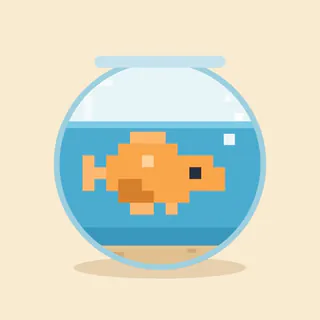
A tiny aquarium lives on your Apple Watch face. The fish really swim, right below the time, in a tank that follows the day: shafts of light in the morning, the sunset, and at night they sleep near the bottom. Blubb is a pixel-art aquarium you look after in a few seconds a day. • Feed them when they are hungry: you will see them gulping at the surface. • Clean the glass when algae grow, before the water turns murky. • Play "Feeding time": turn the Digital Crown to move the fish under the falling flakes. • Care given at the right moment raises the tank's level: guppies, corydoras, angelfish, bettas and pufferfish arrive, with decorations like a castle, a treasure chest, a diver and a shipwreck. • Compose the tank on iPhone: up to five fish, their colors and the centerpiece. • Twice a day a surprise: a seahorse, a jellyfish, the chest opening, a crab out for a stroll. • Holidays in the tank: Halloween, Christmas, New Year, Carnival, Valentine's Day, Easter and your aquarium's birthday. • Retro animation at 1 to 4 frames per second, your choice. • If you are away, they wait for you: no fish ever gets sick or dies. No account, no ads, no subscription, no extra purchases. Your data stays on your devices. Requires Apple Watch with watchOS 10 or later and iPhone with iOS 17 or later. Blubb adds a complication to existing faces (for example Modular, Modular Duo and the Smart Stack); it is not a watch face. With your wrist down or Reduce Motion on, the Watch shows a still image.
On the Watch, in short
Does Blubb Pixel Fish Tank work without an iPhone?
Partly. Some features work on the Watch alone; others need the iPhone nearby.
Does Blubb Pixel Fish Tank have Apple Watch complications?
Yes. It can show information on your watch face.